
Feed Subscriptions and Organization
Subscribe to website RSS feeds, web sources, and custom search queries to collect articles automatically. Subscriptions can be organized into thematic folders.
Supported sources:
- RSS / Atom: Website URLs and direct feed URLs (includes automatic feed discovery from website URLs)
- Google News: Search keywords or Google News URLs (with regional edition selection)
- Google Alerts: Google Alerts RSS feed URLs
- YouTube (experimental): Channel URLs, RSS feeds (feeds/videos.xml), and handle URLs. Transcripts are converted into structured articles; if unavailable, the video player is retained. Shorts and live streams can be excluded (excluded by default)
- Hacker News: Search keywords, minimum score threshold, and ordering (points or newest)
- Reddit: Subreddit queries and ordering (top or newest; authentication required)
- GitHub Trending: Programming language filter and timeframe (daily, weekly, monthly)
- arXiv (experimental): Search keywords, category, and date range (fetches newest papers and extracts summaries from PDF text)
- Papers with Code: Search keywords, date range, ordering (popular, newest, cited), and minimum stars
- AlphaXiv: Topics, search keywords, date range, ordering (votes, popular, newest), and minimum votes (API key required)
- Product Hunt: New product launches and ordering (votes or newest; Developer Token required)
- X: Search keywords, lists, and news (minimum likes/reposts filters, exclude reposts, fetch related posts; authentication required)
Original Text Option and Experimental Sources
In each feed configuration, you can enable 'Show original article' to retain and display raw source text without generating AI summaries.
YouTube and arXiv integrations are experimental. Due to upstream changes, structure variations, or temporary access restrictions, collections may occasionally become unstable or fail.
AI Curation and Custom Instructions
When 'Select articles with AI' is enabled on a feed, an LLM evaluates incoming articles and collects only those matching your interests. You can provide custom instructions such as 'Focus on distributed systems' or 'Prioritize articles with concrete benchmarks and code.'
For feeds where you prefer to read every update, curation can be disabled to fetch and summarize all new posts within your configured limits.
Summaries and Cross-Source Briefings
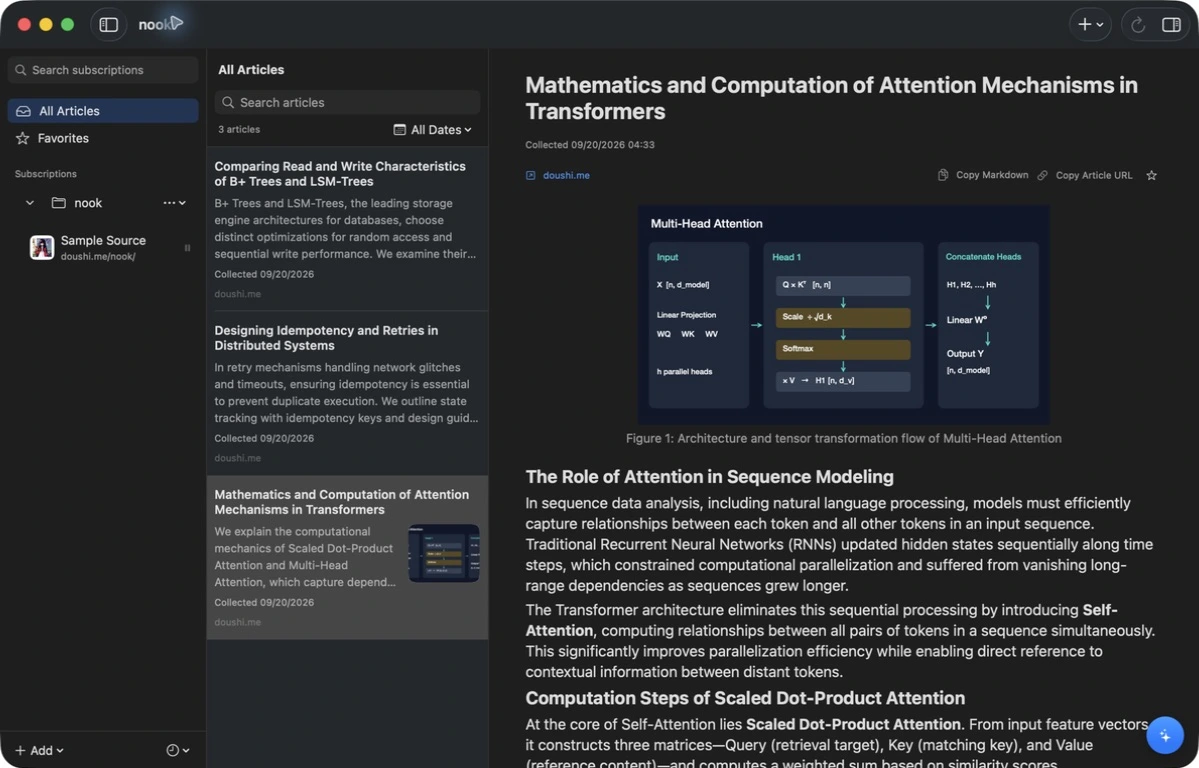
Analyzes full article text and YouTube subtitles to generate clean, structured summaries. Quickly grasp complex papers and lengthy documents. Inline images and figures can be clicked to zoom, while LaTeX equations and tables are rendered with native clarity.
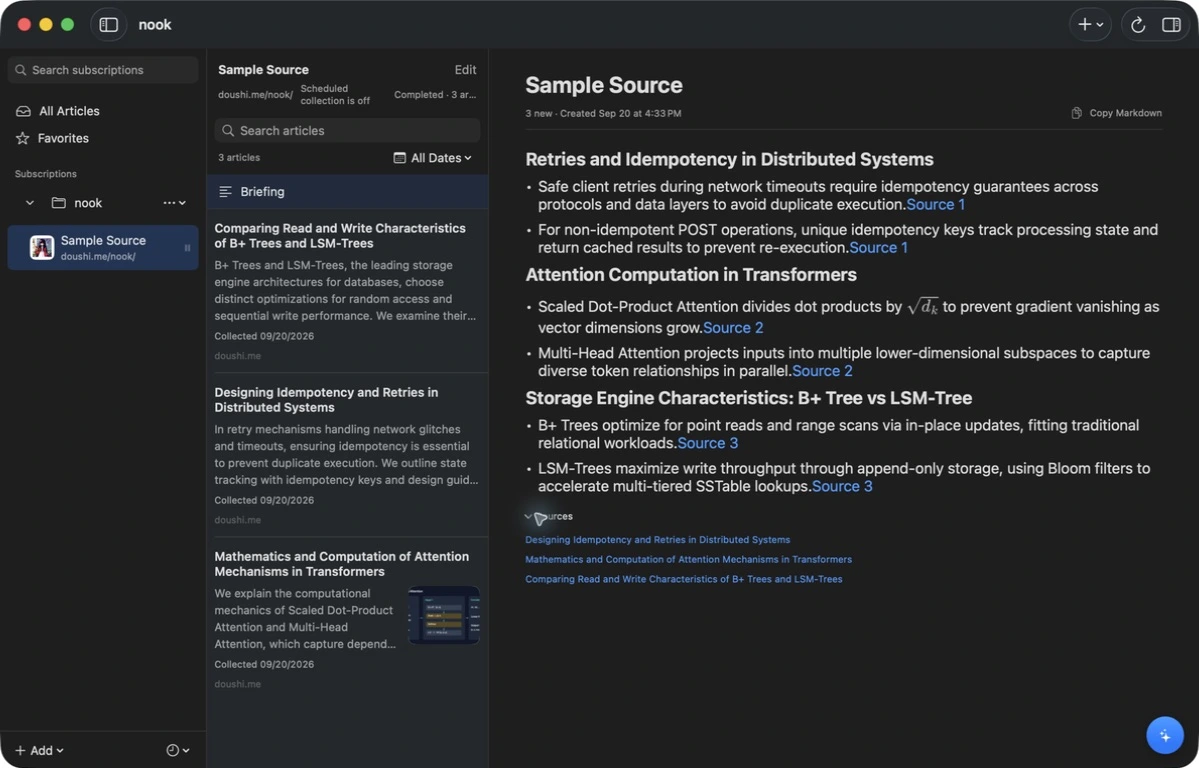
Selecting a feed or folder presents a briefing that groups key topics across multiple articles. Each topic includes citation links to jump directly to excerpts and referenced source articles. When selecting a folder, updates across all nested subscriptions are combined into a single briefing.
Briefings regenerate automatically upon completing a collection cycle. Custom instructions can be tailored per feed or folder, and the feature can be toggled globally in app settings.
Language Settings and Localization
The app UI language can be set independently on Mac and iOS devices to System, Japanese, or English. Switching the UI language does not retranslate existing saved articles or briefings.
The generation language for summaries, briefings, and Ask interactions is configured in the Mac app settings (System, Japanese, or English). Subsequent summaries and briefings are generated in that language and synced to iPhone and iPad.
Ask Questions About Articles
Use the Ask panel in the right sidebar to inquire about the current article. The AI references the article text and related library items to provide answers backed by citation links.
Conversation history is preserved across sessions and can be revisited anytime from the Ask panel. Keyboard shortcuts (⌥⌘B to toggle the panel, ⌘/ to focus input) allow rapid interaction.
Syncing with iPhone and iPad
Articles and briefings sync to iPhone and iPad via iCloud (requires signing in with the same Apple Account). Feed and folder management, automated collection, AI curation, summarization, briefing generation, and Ask queries are handled in the Mac app.
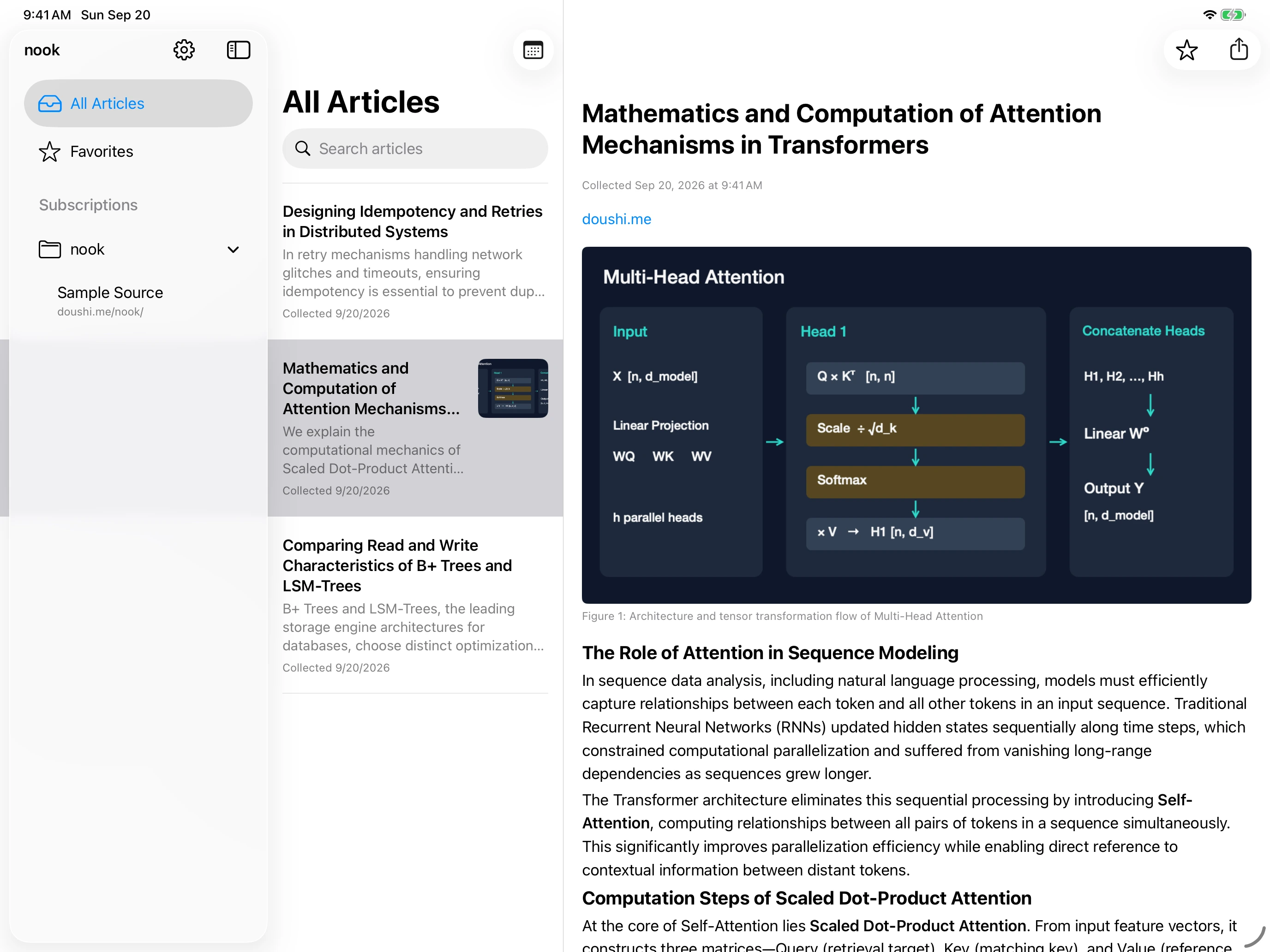
On iOS devices, you can filter articles by synced folders and feeds, read articles and briefings, search, and manage favorites. Once synced, data remains accessible even when your Mac is offline. The last 30 days of articles and all starred items (including images) are cached locally for offline reading (Wi-Fi caching by default; videos stream on demand).
iCloud sync is completely optional. You can set a dedicated storage quota (default 5GB) during setup, or use nook exclusively as a standalone Mac application. If storage limits are reached, older unstarred articles are purged first from iCloud, followed by older starred items if space remains insufficient, while all originals remain permanently preserved in your Mac's local archive.
Search
Search saved articles by keyword. Searches titles and full summary text on Mac, and titles and list previews on iPhone and iPad.
Background Collection
Even when the app window is closed, scheduled background collections run automatically while your Mac is awake (at set times daily or at specified intervals).
Command Line Interface (CLI)
Launching the Mac app registers a dedicated command-line tool (~/.local/bin/nook). Query articles, inspect briefings, trigger collections, patch source configurations, and ask questions via background services without opening a GUI window. Output is formatted as structured JSON.
nook help
nook articles list --limit 20
nook briefings get --source-id SOURCE_ID
nook collect --source-id SOURCE_ID --wait
nook sync status
ChatGPT and Claude Account Connections
AI curation, summarization, briefing generation, and Ask queries communicate with your signed-in ChatGPT or Claude account (not an offline, fully local LLM running on device). No third-party API keys are needed; simply sign in through the in-app connection settings (Claude integration requires Claude Code installed on your Mac).
For feeds requiring authentication (Reddit, Product Hunt, AlphaXiv, X), credentials and tokens can be configured individually under Settings → Connections.
Data and Privacy
All article archives, preferences, and conversation transcripts are stored locally on your Mac (~/Library/Application Support/nook/). The developer collects no telemetry, reading data, or conversation logs. Network communication occurs strictly between your machine and your chosen services or personal iCloud.
Contact and Support
For bug reports and feedback, please contact us on X (@IMG_5955).